CSV and Parquet AI Viewer: Essential Side-by-Side Guide 2026
This MyDataTables guide compares CSV and Parquet AI viewer tools, evaluating performance, interoperability, AI features, and pricing. It helps analysts pick the best viewer.


When comparing csv and parquet ai viewer options, Parquet generally excels on large, columnar datasets, while CSV is faster for quick ad hoc analysis and broader ecosystem support. If your work centers on scalable analytics and big data pipelines, parquet is often the better fit; for lightweight exploration and easy integration, CSV remains a strong choice. This MyDataTables comparison explains where each shines.
What CSV and Parquet AI Viewers Do
AI-powered viewers for csv and parquet ai viewer help analysts inspect, filter, and summarize data directly in the browser or within notebooks. They combine fast data loading with AI-assisted insights such as natural language queries, automatic profiling, and anomaly detection. A csv and parquet ai viewer typically supports common CSV features (delimiters, quoting, encoding) and, for Parquet, optimized columnar storage that speeds selective access. For teams using MyDataTables, these tools unlock conversational exploration, schema discovery, and reproducible workflows across datasets of varying sizes. The choice between CSV and Parquet often depends on data shape, workload, and integration needs, especially when you rely on Python, Spark, or BI tools. When you start, consider your primary use cases: ad hoc exploration, batch analytics, or production-grade data pipelines. The big picture is simple: choose the viewer that best fits your data format, your team’s toolchain, and your performance goals. In practice, csv and parquet ai viewer choices hinge on data shape and scale.
Comparison
| Feature | CSV AI Viewer | Parquet AI Viewer |
|---|---|---|
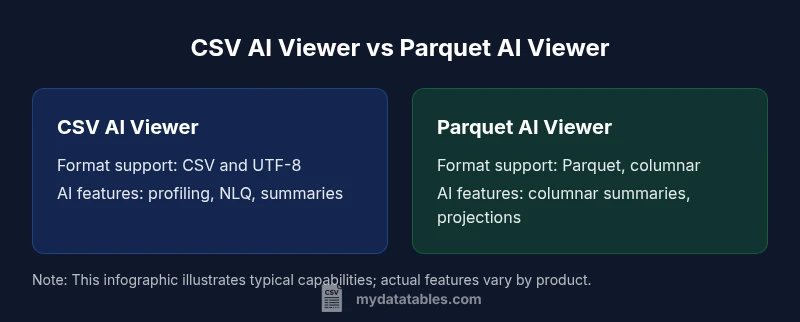
| Supported formats | CSV and common delimited text (UTF-8) | Parquet with columnar storage and schema |
| AI-driven insights | Row-level profiling, NLQ, and lightweight summaries for CSV files | Columnar summaries, predicate-based insights, and faster projections for Parquet |
| Performance considerations | Fast initial load and simple parsing for CSV | Optimized scans with pruning and compression for Parquet |
| Best use case | Ad hoc exploration and quick checks in CSV ecosystems | Large-scale analytics and production pipelines in Parquet |
| Interoperability and ecosystem fit | Excel, Python (pandas), SQL tools; broad cross-platform support | Spark, Hive, Big data stacks; strong support in analytics pipelines |
| Price/value context | Typically lower entry cost; pricing often per user or per feature | Pricing reflects enterprise-scale features and data throughput |
Pros
- Supports both CSV and Parquet workflows with AI-assisted insights
- Improves data exploration speed with indexing and pre-processing
- Integrates with common data tools (BI, notebooks)
- Offers interactive data profiling and anomaly detection
- Cloud-friendly with scalable storage
Weaknesses
- May introduce AI-generated suggestions that require validation
- Parquet AI viewing can be less responsive on very small datasets due to metadata overhead
- Pricing complexity for enterprise licenses
- Requires governance practices to maintain data lineage
Parquet AI viewer is preferred for large datasets; CSV AI viewer excels for quick, flexible analysis
Parquet suits large-scale analytics and production pipelines due to columnar reads and compression. CSV remains ideal for fast, ad hoc exploration and broad tool compatibility. The best approach often combines both formats, using each viewer where it shines and ensuring governance across workflows.
People Also Ask
What is a csv and parquet ai viewer?
An AI viewer for CSV and Parquet data provides a UI or interface that loads datasets and uses AI-assisted tools (like NLQ, profiling, and anomaly detection) to help users explore, summarize, and derive insights without writing extensive code. It supports both row-based CSV and columnar Parquet formats.
An AI viewer helps you explore data using AI features without deep coding; it supports CSV and Parquet files.
Can I use a single viewer for both formats?
Many viewers offer dual-format support, but performance and feature emphasis may differ. A good choice aligns with your primary data tasks: CSV for quick exploration and Parquet for large-scale analytics.
Yes, many viewers support both formats, but make sure it fits your main tasks.
What determines performance differences between the two formats?
Performance depends on data size, schema complexity, and how the viewer leverages format-specific features like columnar access and compression. Parquet often benefits large datasets, while CSV can be faster for small jobs.
Larger datasets and columnar reads favor Parquet; smaller CSVs benefit from simpler parsing.
Do AI features require cloud access or subscription?
Some AI features are cloud-enabled or require a subscription, but many tools offer local processing with optional cloud enhancements. Review vendor plans to understand where AI processing happens and what data stays on-premises.
Check your plan to see if AI features run locally or in the cloud.
How should I evaluate a viewer's data security?
Evaluate access controls, encryption options, audit trails, and data lineage features. Ensure the tool supports masking for sensitive fields and complies with your regulatory requirements.
Focus on access, encryption, and audit features to keep data safe.
Main Points
- Choose Parquet for large, columnar analytics.
- Prefer CSV for quick exploration and broad tool support.
- Validate AI-driven insights against source data.
- Prioritize interoperability with your existing stack.
- Incorporate governance and security early in the workflow.