Parquet to CSV Converter: A Practical Guide for Analysts
Learn how to convert Parquet files to CSV with Python, CLI tools, or Spark. This practical guide covers tools, step-by-step commands, data type handling, validation, and best practices from MyDataTables.


By following this guide, you will convert Parquet files to CSV reliably using Python, CLI tools, or Spark. You'll learn when to choose PyArrow, pandas, or Spark, how to preserve data types, and how to validate results after export. The steps cover installation, basic conversion, and common pitfalls to avoid.
What are Parquet and CSV? A quick primer
Parquet is a columnar storage format designed for efficient analytics, while CSV is a simple, row-based text format that is easy to inspect in spreadsheets and basic tooling. When people look for a parquet to csv converter, they expect a workflow that reads the compact, columnar Parquet data and writes out a flat, text-based CSV file without losing information. The conversion process is not just a file copy; it involves mapping Parquet data types to CSV representations, handling nested structures when present, and choosing an encoding that preserves precision and readability. In practice, this means deciding how to represent timestamps, decimals, and large integers so downstream systems can read them unambiguously. This primer sets the stage for a robust approach that minimizes surprises as you scale from small samples to full datasets. Throughout this guide, you’ll see practical examples, recommended tools, and concrete steps to achieve dependable results with a parquet to csv converter.
Why convert Parquet to CSV? Why this matters in real-world workflows
Converting Parquet to CSV serves several common needs in data intelligence workflows. CSV is universally readable, easy to share, and compatible with a wide range of tools—from spreadsheets to BI dashboards. Analysts often start with Parquet in data lakes or warehouses because of its compact, column-oriented design, but for collaboration, discovery, or quick validation, CSV offers a familiar text-based format. A thoughtful conversion preserves schema intent, avoids data truncation, and remains efficient for moderate file sizes. Consider the trade-offs: Parquet stores metadata and supports complex types, while CSV flattens data into plain rows. The goal of a parquet to csv converter is to produce a faithful, audit-friendly CSV without unnecessary conversion artifacts. In larger pipelines, you’ll also want to think about parallelism, memory use, and reproducibility to ensure consistent exports across runs and environments.
Parquet to CSV converter options: CLI, Python, or Spark
There is no single one-size-fits-all tool for parquet to csv conversion. Command-line utilities offer quick, scriptable exports suitable for small to medium files. Python-based workflows deliver flexibility for data cleaning, type casting, and complex transformations, making them ideal when schema preservation matters. Apache Spark, including PySpark, scales to huge datasets and distributed environments, enabling parallel reads of Parquet and writes to CSV with control over partitioning and performance. Each option has its own trade-offs in setup complexity, memory usage, and throughput. A practical approach is to start with a simple Python-based converter for modest files, then migrate to Spark for larger datasets or when you need distributed processing. This section helps you decide which path aligns with your data volumes, infrastructure, and tolerance for custom logic.
Essential tools and libraries for conversion
Successful parquet to csv conversion rests on a curated set of tools. The Python ecosystem offers PyArrow for Parquet I/O, and Pandas for DataFrame manipulation and CSV export. PyArrow is efficient for reading Parquet schemas, while Pandas provides flexible data handling, including type casting and missing value treatment. For CLI-driven workflows, parquet-tools can inspect and extract basic information from Parquet files. Spark or PySpark is preferred when datasets push memory limits or require distributed computing. Optional tooling, such as a dedicated Parquet reader or a robust CSV writer, can streamline the process. This section highlights the core libraries and utilities you’ll rely on most, plus tips for keeping dependencies synchronized in virtual environments.
Step-by-step: convert with PyArrow and pandas
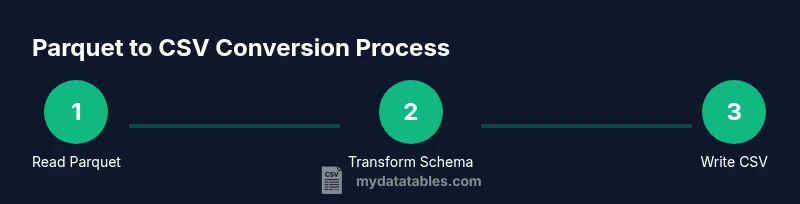
This section demonstrates a straightforward Python-based workflow to convert Parquet to CSV using PyArrow and Pandas. The approach preserves the Parquet schema and converts data types to their CSV-friendly equivalents. You’ll learn how to handle missing values, manage large files with chunked processing, and validate a sample of rows to ensure accuracy. The example below shows the essential steps: load the Parquet into a DataFrame, perform optional type adjustments, and export to CSV with index suppression. This real-world pattern is widely adopted by data teams because it integrates cleanly with data cleaning and validation steps that typically precede reporting.
import pandas as pd

# Paths to your data
parquet_file = 'data.parquet'
csv_file = 'data.csv'

# Read Parquet into a DataFrame
df = pd.read_parquet(parquet_file)

# Optional: enforce/adjust dtypes if needed
# df['amount'] = df['amount'].astype('float64')

# Write to CSV without the index
df.to_csv(csv_file, index=False, encoding='utf-8')
print(f'Exported {parquet_file} to {csv_file}')
Step-by-step: convert with Apache Spark (PySpark)
For large datasets or distributed environments, Spark provides a scalable parquet to csv workflow. You’ll read the Parquet file with Spark, optionally repartition to control parallelism, and then write the data as CSV with headers. Spark handles schema preservation and can push computation across many workers. This path is ideal when you’re dealing with terabytes of data or when your team already uses a Spark-based data lake. The minimal script below shows how to perform the conversion with PySpark, including an optional coalescing step to reduce the number of output files for downstream consumers.
from pyspark.sql import SparkSession

spark = SparkSession.builder.appName('ParquetToCSV').getOrCreate()

# Read Parquet
parquet_path = 'data.parquet'
df = spark.read.parquet(parquet_path)

# Optional: reduce number of output files for downstream systems
# df = df.repartition(1)

# Write as CSV with header
csv_output_dir = 'data_csv_output'
df.write.csv(csv_output_dir, header=True, mode='overwrite')

spark.stop()
Data types, schemas, and edge cases during conversion
CSV is textual and flat, while Parquet stores rich data types and nested structures. When converting, you should plan how to map Parquet types to CSV strings. Timestamps may become ISO-8601 strings, decimals may require fixed precision, and binary data might be represented as base64 or hex. Nested fields in Parquet challenge CSV’s flat format; you often flatten them by concatenating fields with a delimiter or encoding nested objects as JSON strings within a single column. Missing values require a consistent sentinel (e.g., empty string or a explicit 'NA'). If your dataset contains very large numeric ranges or specialized types (like interval or geometry), consider pre-processing with an explicit cast to common CSV-friendly types. Maintaining a clear, documented mapping between Parquet types and their CSV representations helps you reproduce results and validate outputs reliably.
Performance and memory considerations for large Parquet datasets
Converting large Parquet files to CSV can be memory- and I/O-bound. If you operate on a single machine, prefer streaming or chunked processing to avoid loading the entire file into memory. In Python, reading with PyArrow and then streaming to CSV in chunks can reduce memory pressure. When using Spark, tuning cluster resources (executor memory, number of cores, and partition count) is crucial for throughput. For both approaches, consider reading only necessary columns, filtering rows early, and writing in append mode or with a single output file when downstream systems expect one CSV. These strategies improve scalability and reduce runtimes while preserving data fidelity.
Validation, testing, and troubleshooting common issues
Validation ensures your CSV faithfully reflects the Parquet source. Implement spot checks by comparing row counts, sampling a few rows, and verifying key fields’ values. Watch for common issues such as memory errors, data truncation, or mis-mapped types. If you encounter unexpected nulls, review Parquet’s schema vs. your conversion script’s dtype assumptions and consider explicit casts. If the output becomes too large for a single file, write multiple CSV parts and provide a manifest to consumers. For nested data, ensure your flattening strategy is consistent across runs. This section outlines practical checks and a troubleshooting checklist to keep conversions reliable.
Real-world use cases and best practices
In practice, teams adopt a repeatable parquet to csv converter workflow integrated into ETL pipelines and data notebooks. Best practices include defining a clear data-type map, validating a sample of rows after each run, and logging metadata about the source Parquet file (path, size, timestamp) and the export (destination, count, schema snapshot). For regular exports, automate the process with scripts or a small orchestration job, and store both the original Parquet and the produced CSV for auditability. By combining Python or Spark solutions with robust validation, you achieve dependable, auditable conversions that support analytics, reporting, and data sharing with external stakeholders.
Tools & Materials
- Python 3.x(Prefer the latest major release; use a virtual environment)
- pip(Python package manager to install libraries)
- PyArrow(pip install pyarrow)
- Pandas(pip install pandas; used for read_parquet and to_csv)
- parquet-tools (optional)(CLI utility for quick inspection and basic export)
- Apache Spark / PySpark (optional)(For large-scale datasets and distributed processing)
- Sufficient disk space(CSV outputs are typically larger than Parquet)
- Terminal or command prompt(Access to run shell commands)
Steps
Estimated time: 60-120 minutes
- 1
Install prerequisites
Install Python 3.x and set up a virtual environment to isolate dependencies. Ensure you have a working internet connection to fetch PyArrow and Pandas. Validate your Python and pip installation with python --version and pip --version.
Tip: Use a virtual environment (venv or conda) to avoid dependency conflicts. - 2
Install required libraries
Install PyArrow and Pandas via pip to enable Parquet reading and CSV writing. Consider pinning versions to reproduce results across environments. Verify installation by importing the libraries in a short Python snippet.
Tip: Always install in a clean environment and test imports before large runs. - 3
Create a conversion script
Write a small Python script that reads a Parquet file with pandas.read_parquet and writes to CSV with DataFrame.to_csv. Include basic error handling and optional dtype enforcement.
Tip: Wrap read and write calls in try/except to catch I/O or schema issues early. - 4
Run the script and verify output
Execute the script, confirm the CSV file exists, and compare a sample of rows against the source Parquet data. Check row counts and key fields to ensure accuracy.
Tip: Use df.head() or df.sample to spot-check data quickly. - 5
Handle data types and edge cases
If you encounter type mismatches, cast problematic columns to CSV-friendly types. Flatten nested fields if present, or serialize them as JSON within a single column.
Tip: Document any casting decisions for future reproducibility. - 6
Optimize for large files
For big Parquet files, read in chunks or subset columns, and consider streaming exports or Spark for distributed processing. Writing to a single CSV can be memory-intensive.
Tip: Limit columns to what is needed to minimize memory usage. - 7
Alternative: Spark-based conversion
Use PySpark for scaling beyond single-machine capabilities. Read Parquet with spark.read.parquet and write to CSV with df.write.csv, leveraging built-in parallelism.
Tip: Configure partitioning to balance parallel writes and target file count.
People Also Ask
What is a parquet to csv converter?
A parquet to csv converter is a tool or workflow that exports data stored in Parquet's columnar format to a CSV file. It translates Parquet types to CSV-friendly representations while preserving as much schema information as possible.
A converter reads Parquet and writes CSV, translating data types and flattening structures as needed.
Which tools can perform parquet to csv conversion?
Common options include Python libraries like PyArrow and Pandas, the parquet-tools CLI, and Apache Spark or PySpark for large-scale datasets.
You can use Python with PyArrow and Pandas, a CLI tool, or Spark for big data.
How do you preserve data types during conversion?
Parquet types map to CSV-friendly representations. You may need explicit casting for timestamps, decimals, and complex numbers to avoid precision loss.
Map Parquet types to readable CSV formats and cast when necessary.
Can nested structures be converted to CSV?
CSV is flat, so nested fields must be flattened or encoded as JSON strings within a column. This preserves information without introducing a second file format.
CSV can't represent nested data directly; flatten or encode within fields.
What are common errors when converting?
You may encounter memory errors, schema mismatches, or data truncation if types aren't handled properly. Running tests on small samples helps catch these early.
Look out for memory issues and type mismatches; test on small samples first.
Where is it best to run parquet to csv conversion?
Locally for small files; on a cluster or cloud environment for large datasets requiring parallel processing.
Use your local machine for small jobs, or a cluster for big data.
Watch Video
Main Points
- Plan dtype mappings before export
- Validate results with spot checks
- Choose method based on dataset size and infrastructure
- Handle nested data with flattening or serialization
- Document the workflow for reproducibility