CSV to Parquet Converter: A Practical How-To Guide
Learn how to convert CSV to Parquet efficiently with practical steps, tools, and best practices for Python, CLI, and ETL platforms to improve storage and query performance.


This guide helps you convert CSV data to Parquet using reliable converters and practical steps. You’ll learn how to pick the right tool, prepare data, apply a schema, and validate results to optimize storage and query speed in data pipelines.
What CSV to Parquet really means and why it matters
CSV is a plain-text, row-oriented format that is easy to generate but costly to analyze at scale. Parquet is a columnar, binary format designed for compact storage and fast scans. When you convert CSV to Parquet, you gain better compression, reduced I/O, and stronger data governance through explicit schemas. This matters for data lakes, analytics dashboards, and machine-learning pipelines where speed and consistency count. This guide shows practical, repeatable approaches that work across Python, CLI, and Spark environments, so you can pick the path that fits your team's skills and your data.
Core concepts: columnar storage and data types
Parquet stores data by column, not row, which enables efficient encoding, compression, and selective reads. CSV stores every value in text form, which makes scans slower and file sizes larger. Transitioning to Parquet means mapping each CSV column to a Parquet type (int, float, boolean, string, timestamp) and choosing a compression strategy. If you rely on automatic type inference, be prepared for occasional misreads; explicit schemas reduce surprises later.
Conversion approaches: CLI, Python, and distributed engines
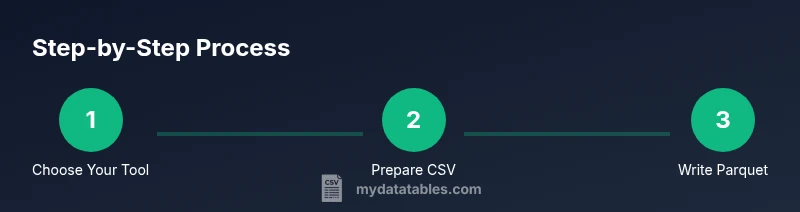
There isn’t a single silver-bullet tool for every scenario. For quick local conversions, Python libraries like PyArrow or Pandas to_parquet offer straightforward APIs. On bigger datasets or in production pipelines, Apache Spark or Dask can scale out across multiple workers. CLI-based tools provide quick one-off conversions or integration into ETL scripts. When choosing, consider dataset size, available infrastructure, and the need for partitioning, compression, and schema control. MyDataTables recommends starting with a simple Python flow and, as data grows, evaluating Spark for parallel processing and fault tolerance.
Step-by-step preview: plan and prepare
Before running a conversion, verify you have the right input data and output destination. Decide on a target Parquet version and compression (SNAPPY is a good default). If your CSV contains headers, ensure they map cleanly to field names in Parquet. Prepare a small test file to validate the end-to-end path. Consider encoding issues (UTF-8 vs other encodings) and how you’ll handle missing values. Finally, note the converter’s version and environment so you can reproduce results later.
Practical conversion scenarios: small vs large datasets
For modest CSVs, a local Python script is usually fastest and simplest. You’ll read, map types, and write Parquet in a single process. For very large files, streaming or chunked processing with a distributed engine helps avoid memory pressure and enables parallel writes. Partitioning by a logical key (date, region) can dramatically improve query performance in data lakes. In practice, plan for a few test runs to tune chunk sizes, compression, and partition strategy.
Validation, testing, and common pitfalls
Validate by comparing row counts and sampling a few records in Parquet against the source CSV. Check for encoding mismatches, missing values, and unexpected type coercions. Be mindful of null representation and the order of columns. When things go wrong, revert to a subset, re-check the schema, and re-run with a smaller batch. The MyDataTables team recommends keeping a reproducible recipe: record the tool, version, compression, and partition scheme so you can re-create results in the future.
Tools & Materials
- Python 3.x(Installed and accessible from your shell)
- PyArrow(Install via pip: pip install pyarrow)
- CSV data file(Source data to convert)
- Parquet output path(Directory for Parquet files)
- Apache Spark (optional)(Useful for large-scale workloads)
- CLI tools (optional)(Parquet-tools or similar for inspection)
Steps
Estimated time: 60-90 minutes
- 1
Prepare your environment
Install Python 3.x and PyArrow, ensure you can run Python commands from your terminal. Verify that pip is up to date and that you can install new packages without permissions issues.
Tip: Test a quick 'import pyarrow as pa' in a Python shell. - 2
Load the CSV data
Read the CSV into memory or a streaming interface, paying attention to headers, delimiters, and encoding. For large files, read in chunks and accumulate into an Arrow table or a Pandas DataFrame.
Tip: Check for BOM, missing headers, and consistent column counts. - 3
Define the target Parquet schema
Decide how to map CSV column types to Parquet/Arrow types. Favor explicit schemas when possible to avoid late-type surprises during reads.
Tip: If possible, cast columns to appropriate types before writing. - 4
Write the Parquet file
Use PyArrow or Pandas to write Parquet with sensible compression (e.g., SNAPPY) and optional partitioning by a key column.
Tip: Test with a small subset first to validate correctness. - 5
Validate the output
Read back the Parquet and compare row counts, column order, and sample values to ensure fidelity.
Tip: Verify nulls and edge values are preserved. - 6
Optimize and partition (optional)
If dealing with large datasets, partition Parquet output by a logical key to improve query performance.
Tip: Balance partition count with file size to avoid too many small files.
People Also Ask
What is a CSV to Parquet converter?
A converter is a tool or workflow that reads CSV data and writes it in Parquet format, preserving data and enabling efficient analytics.
A converter reads CSV data and writes Parquet for faster analytics.
Which tool should I choose for small datasets: PyArrow, Pandas, or Spark?
For small datasets, PyArrow or Pandas to_parquet is typically fastest and simplest. Spark is better for very large workloads.
For small datasets, use PyArrow or Pandas; Spark for large workloads.
Do I need to define a schema before converting?
Explicit schemas help avoid misinterpretation and improve performance, though some tools infer types automatically.
Defining a schema helps reliability and performance, though some infer types automatically.
Is Parquet compressed by default?
Parquet supports compression; choose a codec like SNAPPY or GZIP depending on speed vs. size.
Parquet offers compression; SNAPPY is a common balance.
Can I convert large CSV files without loading everything into memory?
Yes. Use streaming reads or chunked processing and write partitioned Parquet files.
Yes—stream or chunk to Parquet to manage memory.
Where can I learn more about reliable CSV handling?
Consult reputable CSV and data engineering resources, including MyDataTables guides and official Apache Parquet documentation.
Check trusted guides and Apache Parquet docs.
Watch Video
Main Points
- Choose the right converter based on dataset size and workflow
- Define explicit schemas to improve accuracy
- Leverage Parquet compression for storage efficiency
- Partition data for scalable analytics
- Validate results with row counts and sample checks