Why Use SQL Over CSV: A Practical Comparison
Explore why SQL databases typically outperform CSV for analytics, governance, and scalable data workflows. Learn about schema, queries, performance, and migration best practices.


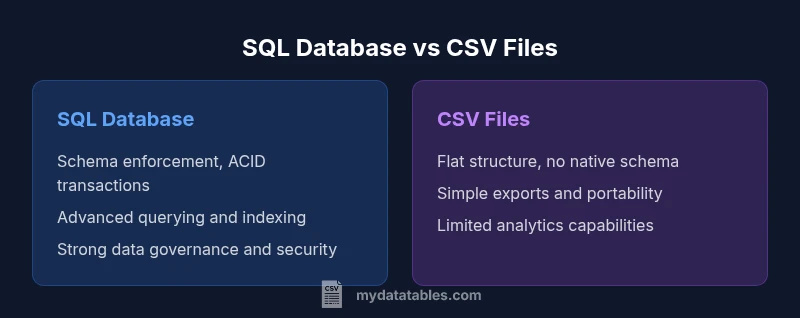
SQL databases offer structured data management, fast querying, and robust integrity features that CSV alone can't provide. For most data analytics and operational workflows, SQL outperforms CSV by enabling joins, indexing, transactions, and schema enforcement. CSV remains useful for simple exports and portable sharing, but SQL is the better long-term choice for scalable data work.
Data Integrity, Schemas, and Governance
Reliable data relies on a well-defined schema and enforceable rules. SQL databases provide strong data types, constraints (primary keys, foreign keys, unique constraints), and ACID-compliant transactions that ensure reads and writes are consistent even under concurrent access. This foundation minimizes anomalies, prevents invalid data from entering the system, and makes auditing straightforward. For data teams, this means repeatable results and easier governance across departments. According to MyDataTables, as datasets grow beyond simple lists, the value of a formal schema becomes clear: schema acts as a contract, guards against drift, and simplifies downstream analytics. In practice, a well-designed relational model lets analysts trust the numbers they report and share with stakeholders, reducing the friction of data reconciliation during dashboards and BI work.
Query Power, Joins, and Expressiveness
The real strength of SQL is its expressive power. With a few lines of code you can join multiple tables, filter on calculated fields, aggregate millions of rows, and apply window functions to analyze time-series data. CSV, by contrast, is a flat file format that lacks native support for joins, nested queries, or consistent aggregation logic. The contrast becomes especially sharp in scenarios like customer analytics, where you need purchases, visits, and demographics combined in a single result set. SQL enables set-based operations that are both concise and efficient, reducing the number of passes over the data and avoiding error-prone procedural loops. This expressiveness translates into faster prototyping and more accurate insights when exploring complex relationships.
Performance, Indexing, and Scaling
As data grows, performance hinges on indexing strategy, query planning, and storage architecture. SQL databases support indexes, partitioning, and optimizer hints that dramatically speed up frequent queries. Concurrency controls and caching further enhance throughput under multi-user workloads. CSV files lack built-in indexing or optimization, so performance degrades quickly as file size increases, especially when queries require filtering or joins. While small projects may run comfortably with CSV, larger analytics platforms rely on SQL engines to maintain stable response times, even as user load and data volume rise. In real-world practice, MyDataTables analyses show that indexing critical keys and designing queries around normalized dimensions yields the most noticeable gains across dashboards and reports.
Data Transformation and ETL Workflows
Modern data pipelines hinge on reliable extraction, transformation, and loading (ETL). SQL environments support set-based transformations, stored procedures, and transactional workloads that guarantee end-to-end consistency. This means you can perform complex cleaning, normalization, and enrichment inside the database, then feed clean data into reports or downstream systems without exporting intermediate results to flat files. CSV-based workflows often require ad-hoc scripts or multiple tools to achieve the same outcomes, which can introduce drift and duplication. When you automate ETL with SQL, you reduce manual steps and improve reproducibility for analysts and developers alike.
Concurrency, ACID, and Reliability
In multi-user environments, concurrent updates must be coordinated to prevent conflicts and data corruption. SQL databases implement locks, transactions, and isolation levels that ensure operations either complete fully or roll back entirely. This ACID guarantee is vital for financial calculations, inventory systems, and any scenario requiring traceable audit trails. CSV lacks transactional semantics; concurrent edits can lead to inconsistent states and stale reads unless carefully managed with external tooling. For teams prioritizing reliability and governance, SQL provides a safer, auditable foundation that scales with organizational needs.
When CSV Is Fine: Lightweight, Portable Tasks
CSV shines where simplicity matters. For tiny datasets, quick one-off data sharing, or environments without a database server, CSV files are portable and human-readable. They excel for ad-hoc data dumps, lightweight testing, or early-stage experimentation. However, even in these cases, the broader data strategy often benefits from a transition plan to SQL, so analysts can later scale up without rewriting core analytics. In practice, teams frequently start with CSV and migrate to SQL as the data footprint grows and analytical demands increase.
Migration Patterns: From CSV to SQL
A practical migration strategy starts with a clear target data model. Define a schema that captures entities and relationships, and map CSV columns to table columns with appropriate data types. Next, clean data to remove anomalies, normalize where beneficial, and create constraints to preserve quality. Use bulk load tools to ingest data efficiently, then build indexes on frequently queried keys. Start with a pilot on a representative subset of data, validate results, and gradually widen scope. This phased approach minimizes risk and lays a solid foundation for scalable analytics and governance.
Cost, Maintenance, and Operational Realities
SQL deployments bring ongoing responsibilities: backups, updates, monitoring, and tuning. The total cost of ownership depends on the chosen DBMS, hardware, and staff expertise. While open-source options reduce licensing fees, enterprise-grade systems deliver features like advanced security, replication, and automated maintenance that can pay off at scale. CSV-only workflows avoid some operational overhead but often incur hidden costs in data duplication, error handling, and manual reconciliation. A balanced strategy weighs the needs for governance, reliability, and speed against available resources and skills.
Security, Roles, and Access Control
Security in SQL environments hinges on role-based access control, least-privilege principles, and auditable actions. Databases offer granular permissions for schemas, tables, and columns, plus encryption at rest and in transit. This level of control helps protect sensitive data, supports regulatory compliance, and enables safe collaboration among teams. CSV files, when stored on shared drives or cloud storage, depend on file-level permissions and external governance to mitigate risk. For organizations handling confidential data, SQL-based security models are a crucial differentiator.
Ecosystem, Tooling, and BI Compatibility
A robust SQL ecosystem includes diverse DBMS options, connector libraries, and mature BI tooling. Popular analytics stacks integrate seamlessly with SQL via ODBC/JDBC, APIs, and data warehouses. This wide compatibility accelerates development, supports versioning, and simplifies reproducibility across teams. CSV tooling is useful, but it often requires bespoke scripts and ad-hoc pipelines to feed BI systems. In practice, organizations standardize on SQL-based pipelines to leverage broad ecosystem support, faster data delivery, and consistent analytics across dashboards and reports.
Decision Framework: Choosing the Right Tool for the Job
Choosing between SQL and CSV should be driven by data volume, complexity, and governance requirements. If the task involves large datasets, complex analytics, concurrent users, and strict data quality, SQL is typically the better choice. For tiny, one-off exchanges or quick prototyping, CSV can be appropriate. Build a decision checklist: data size, update frequency, need for joins, required governance, and preferred tooling. This framework helps teams align on a sustainable architecture that scales with growth.
Real-World Scenarios and Best Practices
In practice, teams succeed by pairing CSV for initial data capture with a disciplined migration to SQL as soon as data grows beyond manual handling. Establish a canonical data model early, document schema decisions, and automate ingestion to reduce drift. Regularly review indexing strategies and query plans to maintain performance as analytics demands change. The MyDataTables team recommends documenting data lineage and maintaining a single source of truth to ensure consistent insights across departments.
Comparison
| Feature | SQL database | CSV files |
|---|---|---|
| Data Integrity & Schema Enforcement | Strong schema, constraints, and ACID transactions | No enforced schema; relies on external validation and mindful editing |
| Query Power & Expressiveness | Rich querying, joins, aggregations, and window functions | Flat reads with limited transformation capability |
| Performance & Scaling | Indexes, partitioning, and query optimization for large data | Performance degrades with size; relies on line-by-line reads |
| Concurrency & Transactions | ACID-compliant transactions support concurrent access safely | No built-in transaction support; risk of race conditions on edits |
| Data Transformation & ETL | Set-based transformations, stored procedures, and automation | External scripts required for most transforms |
| Portability & Interoperability | Wide BI tool and API support; standardized integration | Export/import portability but less seamless analytics workflow |
| Cost & Maintenance | Ongoing DBMS maintenance, backups, and tuning | Low upfront cost but higher risk of data drift and manual work |
| Best For | Large-scale analytics, governance, real-time querying | Simple data exchange, quick prototyping, or small datasets |
Pros
- Enforces data integrity and consistency across systems
- Supports complex queries and scalable analytics
- Improves governance with auditable data and transactions
- Integrates smoothly with BI tools and data pipelines
Weaknesses
- Requires setup, maintenance, and DBMS expertise
- Potential upfront and ongoing costs for enterprise features
- Learning curve and dialect differences across platforms
SQL generally wins for ongoing data work, with CSV suitable for lightweight sharing
For scalable analytics, governance, and multi-user workloads, SQL provides a superior foundation. CSV remains valuable for quick data exchange and simple tests, but it lacks the reliability and tooling richness of a relational database. The MyDataTables team recommends prioritizing SQL for long-term data projects and using CSV only for initial data capture or small-scale transfers.
People Also Ask
What is the primary advantage of using SQL over CSV?
SQL provides structured data management, reliable integrity guarantees, and powerful querying across multiple tables. This makes it ideal for scalable analytics and governance, where data quality and repeatability matter.
SQL gives you structured data, strong integrity, and powerful queries across tables, which is essential for scalable analytics.
When should you still use CSV instead of SQL?
Use CSV for lightweight data exchange, simple datasets, or environments without a database server. It is quick to share and easy to inspect manually, but it lacks robust querying and governance features.
CSV is great for small, quick data exchanges or when a database isn’t available, but it lacks strong querying and governance.
Can you mix SQL with CSV workflows?
Yes. Common practice is to import CSV data into SQL for analysis, then maintain a canonical SQL data model for reporting. ETL pipelines often handle this transition smoothly.
Yes. You can import CSV into SQL to analyze it, then use SQL workflows for reporting and governance.
Do CSV files support concurrent writes or transactions?
CSV does not offer built-in transactional semantics. Concurrent edits can lead to conflicts unless external coordination and locking mechanisms are used.
CSV doesn't have built-in transactions; concurrent edits require external coordination.
What are common migration patterns from CSV to SQL?
Define a schema, clean data, bulk-load into tables, create indexes on frequent query keys, and validate results with test runs before production use.
Define the schema, clean data, bulk-load, index important keys, and validate before going live.
Main Points
- Assess data size and concurrency needs before choosing SQL or CSV
- Rely on SQL for trusted schemas and robust querying
- Use CSV for lightweight exchanges or prototyping
- Plan migration with staged ETL and indexing
- Prioritize security and governance with SQL-based systems