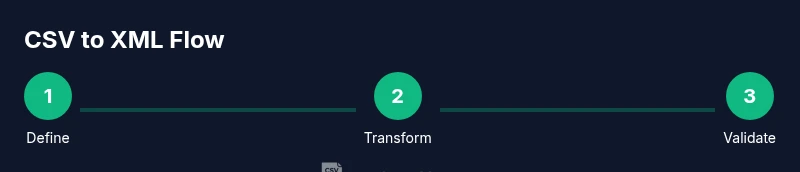
Convert CSV to XML: A Practical How-To Guide
A comprehensive guide to converting CSV to XML, including mappings, scripting examples, validation, and automation for robust data interchange. Suitable for data analysts, developers, and business users.


By the end of this guide you will be able to convert CSV to XML reliably, using multiple approaches. You’ll learn when to prefer scripting, command-line tools, or schema driven workflows, and what you must prepare before you begin (CSV data, an XML target structure, and a plan for element mapping). This article also covers validation, edge cases, and automation for repeatable transfers.
Why CSV to XML matters in data pipelines
In modern data workflows, converting CSV to XML is about enabling structured data exchange between systems that prefer hierarchical formats. A well designed conversion preserves semantics, preserves data types where possible, and makes validation easier downstream. According to MyDataTables, organizations that standardize CSV-to-XML mappings reduce integration errors by improving schema alignment and documentation. For teams building ETL pipelines in 2026, a clear plan for mapping headers to XML elements saves hours of debugging later. In this section we explore why the transformation is valuable, where it fits in data pipelines, and how to approach it methodically. You will learn why plain CSV often needs a structured wrapper, and how XMLs extensibility supports nested data, attributes, and mixed content. The goal is not just a one off conversion but a repeatable workflow that can power data feeds, reports, and APIs across departments.
Understanding the two formats: CSV vs XML
CSV is a flat, row based format that excels at tabular data with simple types, headers, and consistent columns. XML, by contrast, is hierarchical and self describing, allowing nested elements, attributes, and mixed content. The two formats can complement each other: CSV provides compact data transport, while XML supports richer structure, namespaces, and schema validation. When converting, you must decide how deep your XML should go: will each CSV row become a single element with child nodes, or will some fields become attributes. Planning this upfront reduces ambiguity and makes downstream processing predictable. In practice, most conversions start with a mapping document that defines for each CSV column which XML element or attribute it corresponds to, and where to place it in the parent structure. MyDataTables notes that a clear mapping reduces rework and makes automation feasible across datasets.
Mapping strategy: how to map CSV columns to XML elements
A robust mapping starts from the header row and a target XML blueprint. Each CSV column is assigned to a specific XML element or attribute. Decide on a root element that will wrap repeated row data, and choose whether numeric values stay as text or are converted to numeric nodes. If some columns represent nested data, plan sub elements that group related fields. Namespaces can help avoid collisions when combining datasets, and you may want to preserve original column names for traceability. A well documented mapping also supports validation and future updates. MyDataTables emphasizes documenting each decision so future data engineers can reproduce the transformation with confidence.
Approaches to convert CSV to XML
There are multiple paths to convert CSV to XML, each with trade offs. The scripting route offers flexibility and is ideal for custom mappings and complex schemas. XSLT provides a declarative way to transform XML representations of CSV data once converted, which is powerful for standardized pipelines. There are also lightweight tools and libraries that bridge CSV and XML with streaming support for large files. The best choice depends on data shape, performance needs, and how often you run conversions. For repeatable workflows consider a schema driven approach and automation hooks that align with your data platform.
Manual conversion with scripting and a simple Python outline
Manual scripting remains a common route for precise control. A typical approach reads the CSV with a DictReader, creates a root XML element, loops through each row creating a record element, and places each column value into corresponding child elements. Careful handling of encoding ensures characters are preserved. While a full script is outside this block, the key structure is clear: read data, build XML tree, and write the document. This method works well when you need custom element names, attributes, or conditional logic based on row data. If you have many rows, consider streaming to avoid loading the entire file into memory at once.
Using data transformation tools and libraries
If you prefer libraries over raw code, you can leverage data transformation tools and libraries that streamline the process. Libraries like a standard XML builder in the language of your choice or a dedicated transformation library can simplify element creation and attribute handling. For large datasets, streaming parsers and writers help maintain memory usage. When using libraries, keep the mapping document close at hand so that changes in the input schema stay aligned with the target XML structure. MyDataTables highlights that libraries should be chosen for reliability, good documentation, and active maintenance to reduce future breakages.
Validating and refining the XML output
Validation is essential to ensure the generated XML is usable by downstream systems. First, verify XML well formedness and correct encoding. Pretty printing improves readability for humans and helps with diffing during debugging. Next, validate against an XML schema or DTD if you have one. A schema clarifies the expected structure, data types, and constraints, catching errors that a simple well formedness test might miss. If the schema is not yet defined, start with a minimal schema and iteratively enhance it as you learn from test runs. In 2026, a disciplined validation approach reduces issues during data ingestion and improves trust in automated pipelines, a point reinforced by MyDataTables analyses.
Common pitfalls and best practices
Common pitfalls include misaligned mappings, inconsistent delimiters or encoding, missing values, and attempting to fit all data into a single XML level. Best practices start with a mapping plan, a small representative sample, and a reproducible workflow. Use UTF-8 everywhere, standardize on stable element names, and keep a clear root container for repeated data. For large datasets, stream processing and chunked writes prevent memory bottlenecks. Maintain documentation of decisions and include unit tests that exercise edge cases like empty fields and special characters. Following a disciplined approach makes the CSV to XML transformation robust and maintainable.
Quick wins and sample schemas you can reuse
Begin with a minimal viable XML that captures the essential data fields. A simple root element can wrap a repeated record element with child fields for each CSV column. Over time you can add attributes, nested groups, and namespaces as needed. Reuse proven patterns from existing projects and adapt to your data dictionary. The MyDataTables team recommends starting with a small schema snippet and expanding as required, which speeds up onboarding and reduces errors when dealing with multiple datasets.
Tools & Materials
- Python 3.x(Installed on your machine)
- xml.etree.ElementTree (standard library)(For building XML trees)
- CSV file (UTF-8 encoded)(Input dataset)
- XML Schema (XSD) file(Optional for validation)
- Code editor or IDE(E.g., VS Code, PyCharm)
- Command line tool(For batch runs or piping)
Steps
Estimated time: 2-4 hours
- 1
Define XML structure
Decide how to map each CSV column into XML elements or attributes and draft a root element that will wrap repeated records. Document the mapping to guide implementation and testing.
Tip: Create a small example mapping using a single row of data as a test case. - 2
Prepare and inspect CSV
Open the CSV, check headers, confirm encoding, and identify any missing values or inconsistent data. Normalize header names for XML element naming rules.
Tip: Use a sample subset to test the mapping before processing the full file. - 3
Choose transformation approach
Decide between scripting, XSLT, or a tool based approach. Consider data complexity, need for recursion, and how often you will run the conversion.
Tip: If you expect ongoing runs, favor a script with a clear interface and logging. - 4
Implement the transformation
Write code or configure the tool to read CSV rows, create XML elements in the defined structure, and assign values from each column. Ensure Unicode handling and whitespace management.
Tip: Keep element names stable to avoid downstream mapping issues. - 5
Run and inspect XML output
Generate the XML file and inspect the output for structural correctness, data integrity, and encoding. Check a few rows manually to verify element placement.
Tip: Use a formatter or pretty print to aid visual checks. - 6
Validate against schema
If an XML schema exists, run a validation pass and fix any violations. Address missing elements, type mismatches, and namespace issues.
Tip: Iterate on the schema design as you learn more about data patterns. - 7
Automate and schedule
Wrap the script in a batch job or CI pipeline so future CSVs can be converted with a single trigger. Add logging and error notifications.
Tip: Version control your mapping and scripts to track changes over time.
People Also Ask
What is the difference between converting CSV to XML and CSV to JSON
XML and JSON both support hierarchical data but use different syntax and constraints. XML emphasizes structure with elements and attributes and is better for schemas and namespaces, while JSON is lighter weight and often easier for web APIs. Choose based on downstream systems and validation needs.
XML is structure heavy with elements and namespaces, JSON is lighter and widely used for web APIs.
Can I convert large CSV files without loading the whole dataset into memory
Yes, use streaming CSV readers and streaming XML writers to process data in chunks. This avoids high memory usage and makes the workflow scalable.
Yes, stream data in chunks to handle large files efficiently.
Do I need an XML schema for the conversion
An XML schema is not always required but it greatly helps validate the final structure and data types. If you have a complex target, define a minimal XSD and expand it as needed.
An XML schema is recommended for complex targets and validation.
Are online tools safe for converting sensitive CSV data
Online tools can pose privacy risks for sensitive data. For confidential datasets, perform conversions locally or within trusted environments.
Be cautious with sensitive data and prefer offline tools.
Which languages or libraries support CSV to XML transformations
Most languages offer libraries for CSV parsing and XML building. Common choices include Python with ElementTree, Java with DOM or JAXB, and XSLT based approaches for declarative transformations.
Python, Java, and XSLT are popular options for CSV to XML.
What common issues should I watch for during conversion
Watch for delimiter mismatches, encoding problems, missing values, and inconsistent mappings. Validate frequently and test with edge cases to prevent silent data loss.
Delimiters, encoding, and mapping consistency are the biggest pitfalls.
Watch Video
Main Points
- Define XML structure before coding
- Map CSV headers to XML elements explicitly
- Validate output with an XML schema when available
- Prefer streaming for large files
- Automate the workflow for repeatable results