Convert XML File to CSV: A Practical Step-by-Step Guide
Learn to convert an XML file to CSV with reliable mapping, encoding, and validation techniques. This step-by-step guide covers XSLT, Python, and tools for repeatable data transformation.


Learn how to convert an XML file to CSV with a reliable workflow. This guide covers choosing a method (XSLT, Python, or dedicated tools), mapping XML paths to CSV columns, handling nested elements, and validating output for accuracy. By the end, you’ll produce a clean, portable CSV ready for analysis.
Why XML to CSV matters in data workflows
According to MyDataTables, converting XML to CSV simplifies data ingestion by enabling straightforward analysis in familiar tools like spreadsheets and SQL. XML data often arrives with hierarchical structures and verbose attributes, which can complicate reporting if left unflattened. CSV, by contrast, offers a flat, tabular view that many analytics pipelines expect. A reliable conversion makes it easier to join data with other sources, perform aggregations, and share results across teams. In practice, teams use this pattern for ETL pipelines, data migrations, and lightweight reporting where a quick export is sufficient. The key is to plan a stable schema, test with representative samples, and document the rules you apply so future exports stay consistent.
Key ideas:
- XML structure is hierarchical; flattening requires a clear plan.
- CSV is portable but requires careful mapping and encoding decisions.
- A repeatable workflow saves time on recurring XML exports.
Common XML structures and how they map to CSV
XML files vary from simple one-record-per-tree to deeply nested documents with attributes and namespaces. The way you map these patterns to CSV determines downstream usability. The classic case is flat XML like <books><book>...</book></books>, where each <book> becomes a CSV row and columns correspond to elements such as Title, Author, Year, and ISBN. For nested elements (for example <author><name>...</name></author>), decide whether to flatten into a single column or split into FirstName and LastName. Attributes (id="...") can be extra columns or part of a composite key. Namespaces add complexity; stripping prefixes keeps headers clean and prevents collisions. The goal is a reproducible mapping you can reapply to future XML exports and audits.
Methods for XML to CSV conversion
There isn’t a one-size-fits-all solution; the best method depends on XML complexity and your environment. For straightforward, flat XML, XSLT can perform direct XML-to-CSV transformations without needing intermediate data structures. For more complex hierarchies, Python (with ElementTree or lxml) provides flexibility and testability, especially when you need custom logic or data cleansing. GUI-based ETL tools offer ease of use for non-developers, though they may introduce licensing constraints. A hybrid approach—apply XSLT for simple sections and Python for the tricky parts—often delivers speed and precision. Remember, reproducibility matters, so document every mapping decision and keep a versioned mapping file.
Handling edge cases: attributes, namespaces, and repeated elements
XML attributes can carry essential data, but CSV excels with flat, columnar values. Decide whether to promote attributes to separate columns or fold them into existing fields. Namespaces require consistent path definitions; either strip prefixes or use full-qualified paths in your mappings. Repeated elements can explode into multiple rows, or you can join values with a delimiter and keep one row per parent record. The chosen approach should align with downstream systems and data models. Pro tip: pick a delimiter that won’t appear in the data and test with a representative sample to catch escaping issues.
Validation, encoding, and portability considerations
UTF-8 encoding is the standard to preserve characters across languages and platforms. Always include a header row that matches your mapping and ensure consistent quoting for fields containing delimiters or line breaks. Validate the CSV by re-importing it with a CSV reader and comparing a strong sample of records to the XML source. If discrepancies appear, revisit the mapping logic and extraction queries before running a full export. In production workflows, add automated tests that cover edge cases like missing fields or unusual characters. MyDataTables Analysis, 2026 emphasizes that rigorous validation reduces downstream data issues and saves debugging time later.
Real-world example: converting an XML product feed to CSV
Consider an XML feed listing products with elements such as <product>, <name>, <price>, <category>, and <availability>. A straightforward mapping yields a CSV with columns like ProductID, Name, Price, Category, Availability. Implement this with a small Python script using ElementTree to iterate each <product>, extract fields, and write a header plus rows to a UTF-8 CSV file. This concrete example shows how a well-documented mapping results in a clean, scalable output that analytics teams can load directly into spreadsheets or BI tools.
Tools & Materials
- XML file(s) as input(Provide the file paths or a URL to the XML data you want to convert)
- CSV header mapping plan(Define which XML paths map to each CSV column)
- XSLT processor or XML-to-CSV tool(Examples: xsltproc, Saxon, or a built-in transformer in your language)
- Scripting environment (optional)(Python 3.x with lxml or xml.etree.ElementTree, or Java-based tooling)
- Validation script or tool(Verify that the CSV matches the XML data schema)
- Test CSV file(Use a small sample to validate the transformation before full export)
Steps
Estimated time: 90-120 minutes
- 1
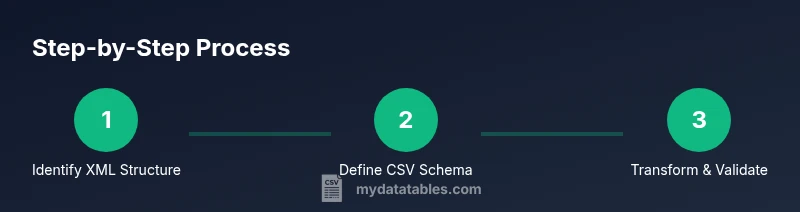
Identify your XML structure
Open the XML file and inspect the root element, repeated blocks, and attributes. Decide which elements map to rows vs. columns. Create a mental model of the data flow to guide extraction.
Tip: Use an XML viewer or browser tool to visualize the hierarchy. - 2
Define the CSV schema
Draft header columns that represent the data you need. Include sensible defaults for missing fields and decide how to handle optional attributes.
Tip: Write a sample row to validate the mapping against real data. - 3
Choose a conversion approach
Select XSLT for simple, one-to-one mappings or Python for more complex transformations with validation logic.
Tip: For teams new to XML, GUI-based ETL tools reduce setup time but may limit customization. - 4
Write extraction logic
Implement queries or code to pull data from each XML path mapped to a CSV column. Test against a subset of records.
Tip: Test each path individually before combining into the full output. - 5
Create the CSV writer
Implement the output routine to write a header and subsequent rows with proper encoding and quoting.
Tip: Use UTF-8 encoding and quote fields that contain commas or quotes. - 6
Flatten nested structures
Decide whether to flatten nested data into single columns or generate multiple rows for nested records.
Tip: Document your flattening approach and keep it consistent across runs. - 7
Validate the result
Load the produced CSV with a CSV parser and compare a sample of rows to the XML source to catch mismatches.
Tip: Automate a small test suite to run after every change. - 8
Automate and document
Package the steps into a script or pipeline and write mapping documentation for future exports.
Tip: Version control your mapping and scripts.
People Also Ask
What is the best method to convert XML to CSV?
There is no universal best method. Choose XSLT for simple, direct translations or Python for complex transformations with validation. For many teams, a hybrid approach keeps projects efficient while maintaining control.
The best method depends on XML complexity and your tooling. Start with XSLT for simple mappings, then bring in Python for more complex cases.
How do I map XML elements to CSV columns?
Define a header row that corresponds to the data you need. Use XPath or similar queries to extract values and ensure each column has a stable source path.
Map each XML element to a CSV column using stable paths. Test the mapping with a small sample.
Can repeated XML elements be represented in a single CSV row?
Yes. You can either create multiple rows per parent record or join repeated values with a delimiter for a single row. The choice depends on downstream compatibility.
Yes. Decide whether to expand into multiple rows or join with a delimiter based on downstream needs.
What encoding should I use for CSV output?
Use UTF-8 to preserve multilingual data and avoid character loss. Configure the tool to write a UTF-8 BOM if your workflow requires it.
UTF-8 is the standard for CSV encoding; use it to preserve all characters.
Which tools can automate the conversion?
XSLT processors, Python scripts, and ETL platforms can automate XML-to-CSV conversion. Choose based on your team skills and the complexity of the XML.
XSLT, Python, and ETL tools can automate the conversion; pick what fits your team's skills.
How do I handle namespaces during conversion?
Simplify by stripping namespaces during parsing or by using fully-qualified paths in your mappings. Consistency is key to avoid header conflicts.
Strip namespaces or use fully-qualified paths to keep mappings consistent.
Watch Video
Main Points
- Define a clear XML-to-CSV mapping.
- Choose a method aligned with XML complexity.
- Validate encoding and data integrity.
- Automate and document for reproducibility.