XML to CSV Conversion: Practical Guide for Data Analysts
Learn how to convert XML data to CSV with clear mappings, scripts, and best practices. This practical guide covers encoding, namespaces, attributes, validation, and performance tips for reliable data transformation.


XML to CSV conversion involves mapping XML elements and attributes to a flat CSV schema, choosing an encoding, and validating results. You can perform it manually or with scripts (Python, XSLT, or Java) or dedicated tools. This guide walks through core concepts, recommended workflows, and common pitfalls to avoid.
What xml to csv conversion is and when you need it
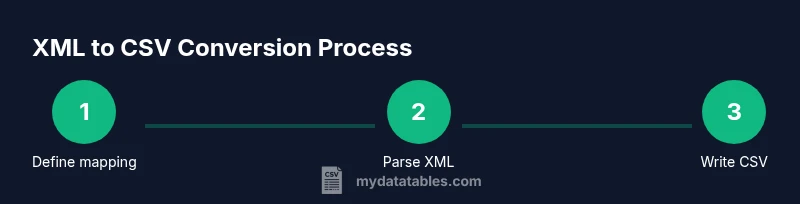
XML to CSV conversion is the process of translating hierarchical XML data into a flat, tabular format suitable for spreadsheets, databases, or BI tools. The goal is to preserve the meaning of elements and attributes while organizing them into columns. This is especially useful for reporting, data cleaning, or populating analytics dashboards. According to MyDataTables, teams often start with XML when data is exchanged between systems and end with CSV when analysts need rapid slicing and dicing. The MyDataTables team has observed that a well-documented mapping reduces rework and errors across environments. The first step is to define the target schema: which XML fields map to which CSV columns, how to handle repeated elements, and how to treat missing values. A clear mapping document saves time during maintenance and makes future migrations smoother. In practice, xml to csv conversion hinges on a few core decisions: how to handle nested structures, what to do with attributes, how to manage data types, and what encoding to use. UTF-8 is the de facto standard for most data workflows, but you may encounter legacy systems that require other encodings. Plan for validation early: create a sample pair of XML input and CSV output to verify the mapping before processing larger files. This early testing helps catch edge cases such as optional fields, empty tags, or unusual namespaces.
Understanding XML structure and CSV mapping
XML data is hierarchical, using elements, attributes, and sometimes namespaces. CSV is a flat, row-based format with a fixed set of columns. The key challenge is choosing which pieces of the XML tree become columns and how to handle nested structures. A common approach is to treat each repeated XML element as its own row or to unwrap nested data into multiple columns using a consistent naming convention. For example, given a snippet like <person id="1"><name>Jane</name><email>[email protected]</email></person>, you might map id, name, and email to separate CSV columns. When attributes are used (e.g., id, type), you can prefix them with @ to distinguish them from element text. If namespaces are present, you must declare a mapping rule (e.g., strip namespaces or keep them as prefixes) to maintain readability. MyDataTables notes that predictable namespace handling reduces surprises during integration tests. Finally, decide on an encoding; UTF-8 covers most cases, but if the source uses a different charset, you may need to convert during the write phase to avoid data loss.
Approaches to conversion: manual parsing vs tools vs code
There are three broad approaches to xml to csv conversion: manual parsing, scripting, and dedicated tools. Manual parsing is useful for tiny, one-off tasks but becomes impractical for larger datasets due to error-prone, repetitive work. Scripting—using languages like Python, Java, or XSLT—offers repeatability, version control, and scalability. Python’s ElementTree or lxml libraries can elegantly navigate XML trees and collect rows for CSV output, while XSLT can transform XML directly into CSV with templates. Dedicated tools, including command-line utilities and data integration platforms, provide GUI-based mapping and validation layers that accelerate delivery for non-programmers. Each approach has trade-offs: manual methods are quick for ad hoc jobs; scripts provide flexibility and automation; tools deliver speed and governance. Your choice should depend on data volume, team skills, and maintenance expectations. MyDataTables recommends starting with a small, repeatable example to compare approaches and select a single, reproducible workflow for future projects.
Step-by-step: using Python to convert XML to CSV
- Define input and output paths, and load the XML file into memory or stream. 2) Parse the XML with ElementTree or lxml, focusing on the records you want in CSV. 3) Create a schema that lists the CSV columns and the corresponding XML paths. 4) Iterate over each record, extract values, handle missing data, and cast to string as needed. 5) Write the extracted values to a CSV file with proper encoding (UTF-8) and a header row. 6) Close files and perform a quick sanity check on the first few lines. 7) Validate by re-parsing the CSV with the same schema to ensure row integrity.
Tip: Use a generator-based approach to keep memory usage low on large XML files. Why: Streaming avoids loading entire XML trees into memory, preventing OOM errors during peak loads. Time estimate: Total time: 25-60 minutes.
Handling attributes, namespaces, and data types
Attributes require a deliberate strategy: decide whether to map them as separate columns or incorporate them into text fields. Namespaces complicate XPath expressions; consider stripping them or resolving prefixes during parsing. For data types, your mapping should preserve numeric and date-like values instead of converting everything to strings, then perform a final cast during CSV generation if your downstream system expects specific types. Inconsistent handling of missing values can skew analysis, so implement explicit placeholders (e.g., blank strings or a designated sentinel) to indicate missing data. When working with mixed content (elements containing both text and child elements), normalize by extracting only the relevant data, or flatten the structure with a clear naming convention. MyDataTables emphasizes documenting these decisions to prevent drift between development and production environments.
Validation, testing, and quality checks
Validation is essential to ensure the CSV matches the intended XML structure. Create a small test XML sample and its expected CSV output, then run the conversion to verify row counts, column alignment, and value accuracy. Use checks such as: 1) number of rows matches expected records, 2) no unexpected newline characters inside fields, 3) all required columns present, 4) encoding integrity preserved (UTF-8). Automated tests can compare the produced CSV against a known-good baseline. For large datasets, sample subsets help verify performance and correctness before full-scale runs. Document any discrepancies and adjust mappings accordingly. MyDataTables recommends integrating unit tests as part of the data pipeline to avoid regression when schemas evolve.
Performance considerations for large XML files
Large XML files pose a challenge for memory usage. Prefer streaming parsing methods like iterparse (in Python) or SAX-style parsers that process one element at a time rather than loading the entire tree into memory. Consider splitting the input into chunks or processing with a batch size to balance throughput and memory. Use efficient data structures and avoid repeated string concatenation. If you anticipate nested deep structures, flatten them progressively to reduce complexity. When possible, filter the XML during parsing to only the records you actually need, reducing unnecessary processing. Finally, profile the conversion script to identify bottlenecks and optimize hotspots, such as repeated lookups or expensive conversions.
Real-world example: end-to-end walkthrough
Suppose you have an XML feed of orders with elements like <order id="1001">, <customer><name>>, and <items><item>... Each order should map to one CSV row with columns: order_id, customer_name, order_date, total. An example XML snippet is provided, and the resulting CSV will have a header row followed by data rows. This section walks through a complete end-to-end run, including the mapping rules, sample data, and the exact CSV output. By following the steps outlined above and using a tested script, you can reproduce the process with confidence across different XML sources. The goal is a robust, maintainable workflow that produces clean CSV ready for analysis or import into a database. This practical example demonstrates how theory translates into a repeatable data transformation pipeline, aligning with industry best practices recommended by MyDataTables.
Tools & Materials
- Python 3.x runtime(Prefer the latest stable release for security and compatibility.)
- xml.etree.ElementTree or lxml(Choose lxml if you need XPath and faster parsing.)
- CSV writer (built-in or pandas)(Use csv module for simple cases or pandas for complex schemas.)
- Sample XML file(Create a small test file with representative structure.)
- Text editor or IDE(For editing scripts and reviewing mappings.)
- Command-line access(Needed for batch processing or automation pipelines.)
- Output CSV file(Destination path for the converted data.)
Steps
Estimated time: Total time: 25-60 minutes
- 1
Identify input XML and target CSV schema
Clarify which XML elements map to which CSV columns and decide how to handle attributes and nested data.
Tip: Document your mapping before coding to avoid drift later. - 2
Choose parsing approach
Decide between a streaming parser (recommended for large files) or a DOM-like approach for simpler structures.
Tip: Streaming saves memory on big files. - 3
Parse XML and locate records
Use an XPath or element traversal to iterate over the top-level records (e.g., orders, customers).
Tip: Limit scope to the records you need. - 4
Extract fields and normalize data
Pull values, trim whitespace, handle missing fields, and cast to appropriate types or strings.
Tip: Keep a consistent null/empty representation. - 5
Write to CSV with encoding
Create a header, then append rows using UTF-8 encoding to avoid character loss.
Tip: Always emit a header row for downstream clarity. - 6
Validate output
Compare a sample of generated rows with the original XML to ensure correctness.
Tip: Automate a spot-check to catch regressions. - 7
Test performance with larger files
Run the script on bigger XML samples to gauge memory usage and speed, then optimize.
Tip: Use streaming and chunking to scale smoothly.
People Also Ask
What is the difference between XML and CSV, and why convert XML to CSV?
XML is hierarchical and self-describing, while CSV is flat and easy to analyze. Converting to CSV enables quick data analysis, reporting, and integration with spreadsheets and BI tools.
XML is hierarchical; CSV is flat, making analysis easier. Converting helps with reporting and data pipelines.
How do I map XML elements to CSV columns?
Define a fixed list of CSV columns and specify the XML paths to pull each value. Decide how to handle nested elements and attributes, and create a reproducible mapping document.
Create a mapping table that links each XML path to a CSV column, and keep it updated.
How should attributes be represented in CSV?
Attributes can be exported as separate columns prefixed with @ or merged into element text depending on readability and downstream requirements.
Export attributes as separate columns or include them in the data, depending on what downstream systems expect.
What about XML namespaces?
Choose to strip namespaces for simplicity or preserve them with clear prefixes. Namespace handling affects XPath and data extraction logic.
Strip namespaces for simpler parsing, or keep them with prefixes if your data uses them to disambiguate elements.
Which tools or languages are best for xml to csv conversion?
Python (ElementTree or lxml), XSLT, or dedicated ETL tools are common choices. The right tool depends on data size, repeatability needs, and team skills.
Use Python or XSLT for repeatable transformations, or a dedicated tool if you prefer a GUI.
How can I validate the resulting CSV?
Compare a subset of CSV rows to the corresponding XML records and check for missing fields, encoding issues, and correct column alignment.
Spot-check a few rows to ensure fields match the XML source and encoding is correct.
Watch Video
Main Points
- Map XML fields to CSV columns with a stable schema
- Use encoding-safe workflows (UTF-8) for broad compatibility
- Prefer streaming parsing for large XML files to save memory
- Validate output against XML data to ensure accuracy
- Document mappings and decisions for future maintenance