CSV to JSON: Step-by-Step Conversion Guide
Learn practical workflows to convert CSV to JSON. This expert guide covers tools, formats, validation, and tips for analysts, developers, and business users.


You will learn to convert CSV to JSON reliably using both code and no-code tools. This guide highlights essential steps, common pitfalls, and validation checks to ensure data integrity. By the end, you’ll be able to transform flat CSV records into clean, structured JSON ready for APIs and data pipelines.
Why CSV to JSON Matters
In data workflows, JSON is often the preferred format for APIs, databases, and microservices because it naturally represents structured objects and arrays. CSV remains a simple, human-readable tabular format that’s easy to create and share, but it lacks native structure for nested records. Converting CSV to JSON unlocks interoperability across systems, reduces parsing errors, and simplifies downstream data processing. According to MyDataTables, teams that standardize their CSV to JSON workflows report smoother handoffs between data collection, transformation, and consumption stages. This guide helps data analysts, developers, and business users establish reliable conversion practices that scale from small datasets to enterprise pipelines.
Core Principles of CSV to JSON
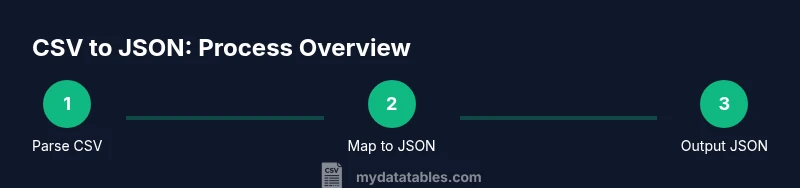
The core idea is to map each CSV row to a JSON object, using the header row as field names and exposing repeated rows as elements in a JSON array when appropriate. Common patterns include: a top-level array of records, or a single object with an array of items. Keeping data types as faithful as possible is essential, so strings, numbers, booleans, and nulls should be preserved or accurately cast. Consistency in key naming, delimiter handling, and escaping prevents downstream errors in APIs and analytics pipelines.
Common Formats and Encoding Considerations
Before converting, decide on the JSON structure (array of objects vs. object with nested arrays). UTF-8 encoding is standard; ensure the CSV is saved with the proper encoding to avoid misinterpreted characters. Manage quotes, commas inside fields, and multi-line values by using robust parsers or well-tested transformation logic. Be mindful of missing values and how you want them represented in JSON (null vs. empty strings). If you anticipate non-ASCII data, ensure your tooling preserves Unicode correctly to avoid data loss or garbled text.
Tools and Workflows for CSV to JSON
There are multiple pathways to conversion, depending on your environment and preference for code or no-code solutions. For code-centric users, Python (pandas, csv module), JavaScript (Node.js with csv-parse or papaparse), or R offer flexible, repeatable pipelines. For quick transforms, command-line tools like jq or csvkit streamline single-shot conversions. No-code platforms and online converters can be useful for small one-offs, but you should validate outputs with unit tests and spot checks to prevent subtle data issues. MyDataTables recommends aligning your chosen method with your data governance policies and reproducibility needs.
Validation and Quality Assurance
Validation should verify structure, data types, and value ranges. Use a JSON schema or custom validators to ensure required fields exist, arrays are properly formed, and numeric fields parse as numbers. Check for duplicate rows, inconsistent date formats, and out-of-range values. Run the converter against representative samples, compare the results to the source CSV, and log any discrepancies for traceability. Setting up automated tests helps catch regressions as data evolves.
Real-World Examples: Scenarios and Code Snippets
Example scenario: a CSV with user records including id, name, email, and signup_date. The JSON might look like [{"id":1,"name":"Alice","email":"[email protected]","signup_date":"2026-02-01"}, …]. Code samples show how to parse with Python, then emit JSON with consistent types. In Node.js, you can stream a large CSV to JSON to avoid loading the entire file into memory. For organizations, consider a small library to map CSV headers to JSON keys, apply type coercion, and handle missing fields gracefully.
Pitfalls and How to Avoid Them
Common pitfalls include assuming every field is a string, neglecting escaping rules, and ignoring memory constraints with large files. Always validate output against a schema, handle streaming for big datasets, and document edge cases (e.g., empty lines, quoted delimiters). Maintain a reversible mapping between CSV headers and JSON keys to simplify maintenance when the source format changes. Keep a changelog of transformations to aid audits and debugging.
Tools & Materials
- CSV file to convert (sample data)(A representative subset is fine for testing.)
- Text editor or IDE(For editing scripts and checking results.)
- JSON viewer/editor(Helpful to inspect nested structures.)
- Python 3.x (optional)(Use pandas or csv module for scripts.)
- Node.js (optional)(Use csv-parse or papaparse for streaming.)
- jq (optional)(CLI tool to filter/transform JSON quickly.)
- Terminal or command prompt(Run scripts and CLI tools.)
Steps
Estimated time: 45-60 minutes
- 1
Define target JSON structure
Decide whether you need an array of objects, a single object with an items array, or a nested structure. Document the schema to avoid ambiguity during transformation.
Tip: Write down the expected JSON shape and the data types for each field before coding. - 2
Inspect CSV headers and data types
Open the CSV and review header names. Note any headers with spaces or special characters and plan how to normalize them to valid JSON keys. Identify columns that should be numeric, date, or boolean.
Tip: Create a small table mapping each CSV column to the intended JSON key and type. - 3
Choose your conversion method
Pick code (Python/Node) for repeatability or a CLI/no-code tool for ad-hoc tasks. Ensure the method supports streaming if dealing with large files.
Tip: Prefer a method that can be automated in CI/CD or scheduled jobs. - 4
Implement the transformation
Write the conversion logic to read CSV rows and emit JSON objects, applying type coercion and missing value handling. Use a streaming approach for large datasets.
Tip: Include error handling to skip or log problematic rows rather than failing the entire run. - 5
Validate the JSON output
Run the output through a JSON schema validator and sample checks against source data. Confirm field presence and correct types.
Tip: Automate tests to compare a sample of converted records to expected results. - 6
Integrate and monitor
Save the JSON to a destination (file, API, or data store). Set up monitoring and automatic re-runs when the CSV source updates.
Tip: Add logging to capture schema changes or data anomalies.
People Also Ask
What is the simplest way to convert CSV to JSON?
For quick tasks, start with a no-code tool or a small script that maps headers to keys and outputs a JSON array of objects. Validate the result with a sample set to ensure correctness.
The simplest way is to use a no-code tool or a small script that maps headers to JSON keys and then validates the output.
Can CSV contain nested JSON objects?
CSV is flat by design. To represent nested JSON, you must define a schema that combines fields or uses a delimiter to encode nested structures, then parse that encoding during conversion.
CSV doesn't support true nesting; you need to define a scheme to encode nested objects and decode it during conversion.
Which encoding should I use for CSV to JSON?
UTF-8 is the recommended encoding for CSV when converting to JSON to avoid misinterpreting characters, especially for international data. Ensure the source CSV and destination JSON share the same encoding.
Use UTF-8 encoding to prevent character misinterpretation and align the CSV and JSON encodings.
How do I handle missing values during conversion?
Decide in advance whether missing fields become null or an empty string, and apply that rule consistently across all records. Document this policy for downstream consumers.
Decide if missing fields become null or empty strings and apply the rule consistently.
Is there a recommended tool for large CSV files?
For large files, streaming parsers in Python or Node.js are advisable. They read chunks of the file and emit JSON progressively, avoiding high memory usage.
Use a streaming parser to handle large CSVs without loading everything into memory.
Watch Video
Main Points
- Define a clear JSON target before coding.
- Validate output against a schema to ensure reliability.
- Choose a method that supports streaming for large datasets.
- Document the transformation for maintainability.