Export PostgreSQL Data to CSV: Step-by-Step Guide
Learn how to export PostgreSQL output to CSV using server-side COPY, client-side psql, and \copy methods. This educational guide covers headers, encoding, delimiters, large exports, and automation for reliable CSV exports.


You will learn how to export PostgreSQL query results to CSV using server-side COPY, client-side COPY/\copy, and psql. We cover headers, delimiters, encoding, and practical patterns for ad-hoc exports and scheduled data extracts. This guide emphasizes reliability, performance, and compatibility with downstream tools for "postgresql output to csv" workflows.
Overview of exporting PostgreSQL data to CSV
According to MyDataTables, exporting data to CSV is a foundational skill for data analysts, developers, and business users. CSV offers a simple, language-agnostic format that plays well with reporting tools and data pipelines. In PostgreSQL, you can export data directly from the server with COPY or you can pull data to the client with psql or the \copy command. This section establishes the core concepts and terminology, including when to export via server-side file paths versus client-side streams. You will also learn how headers, encoding, and delimiters influence downstream consumption. The aim is to give you practical, battle-tested patterns you can reuse across projects, from small ad-hoc exports to large scheduled data extracts.
Core methods to export PostgreSQL data to CSV
PostgreSQL provides several robust paths to create CSV exports. The COPY command lets you write a CSV file directly from the server, which is efficient for large datasets when you have server-side access. COPY TO STDOUT streams data to the client, enabling flexible redirection and integration with local tooling. The psql client adds convenient shortcuts like \copy for client-side exports that mirror COPY semantics. The choice depends on permissions, environment constraints, and whether the output should reside on the server or the client. In practice, many teams use a mix: COPY for server-side backups and \copy or psql for local reports and tests.
Tools & Materials
- PostgreSQL server access with appropriate privileges(Read access for server-side export; write access if exporting to a server path)
- psql client (or equivalent SQL tool)(Needed for COPY TO STDOUT and for convenient CLI exports)
- A test query and a small sample dataset(Start with a narrow subset to validate formatting)
- Writable server directory (for server-side COPY TO file)(If you plan to export directly to a server path)
- Client-side output path or redirection target(If exporting to local CSV files from the client)
- Test CSV for validation(Useful for quick checks of delimiter and encoding)
Steps
Estimated time: 60-120 minutes
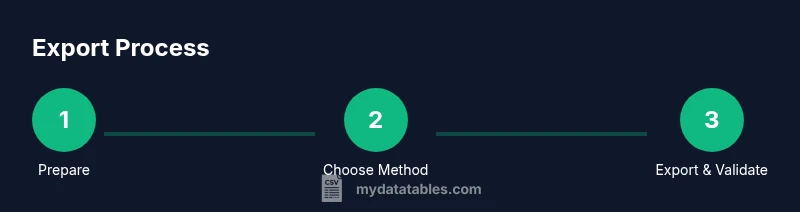
- 1
Prepare your environment
Ensure you have a working PostgreSQL client (psql) and the necessary permissions to export data. Verify connectivity to the database and confirm you can read from the target table or run your query without errors.
Tip: Test a simple SELECT to confirm permissions and connectivity before exporting. - 2
Decide on the export method
Choose between a server-side COPY to a file and a client-side COPY/STDOUT export. Server-side writes require a writable path on the server and appropriate privileges; client-side exports avoid server file access and are safer in restricted environments.
Tip: If unsure, start with a client-side approach (\\copy) to validate formatting quickly. - 3
Export with COPY to a server-side file
Run a COPY command that writes a CSV file on the server, including HEADER to include column names. Ensure the database user has permissions to write to the target directory and that the path is accessible by the PostgreSQL server process.
Tip: Use an absolute path and verify server-side permissions before execution. - 4
Export with COPY to STDOUT and redirect locally
If server write access is restricted, export to STDOUT and redirect to a local file. Example: COPY (SELECT ... ) TO STDOUT WITH CSV HEADER; > /path/to/local.csv
Tip: Redirect on the client side to avoid server write permissions altogether. - 5
Export with psql \copy for client-side exports
Use psql's \copy to mirror COPY behavior on the client, which respects the same options and is convenient for ad-hoc extractions.
Tip: Remember to escape the backslash in the shell when using \copy. - 6
Handle headers, NULLs, and encoding
Explicitly set HEADER, NULL representations, and encoding (for example ENCODING 'UTF-8'). Choose a delimiter suitable for downstream systems and confirm quoting rules if data contains quotes or newlines.
Tip: Test with a sample containing NULLs and embedded commas to verify parsing. - 7
Performance considerations for large exports
Large exports can stress IO and disk bandwidth. Consider exporting in chunks, filtering with a WHERE clause, or running during low-traffic windows to minimize impact on production workloads.
Tip: If possible, run in batches and parallelize across partitions or shards. - 8
Validate and automate exports
After exporting, validate row counts and CSV integrity. For recurring tasks, automate via scripts and scheduling tools, including logs and error alerts.
Tip: Automate end-to-end validation to catch formatting or encoding issues early. - 9
Authority sources and best practices
Consult official PostgreSQL documentation for COPY syntax and best practices, and align with MyDataTables CSV handling guidelines to ensure data quality.
Tip: Keep dependencies up to date and verify compatibility with downstream pipelines.
People Also Ask
What is the difference between COPY and \copy in PostgreSQL?
COPY writes to a server-side file, while \copy runs on the client. Both support CSV options such as HEADER, DELIMITER, and NULL. Choose based on whether you can access the server's filesystem and where you want the output stored.
COPY writes to the server; \copy runs on the client. Choose based on file location and permissions.
Can I export large datasets without impacting production systems?
Yes, but plan for it. Use WHERE clauses to reduce scope, export in chunks, and run during maintenance windows. Monitor IO and CPU usage during the operation.
Yes, by exporting in chunks and scheduling during low-traffic periods.
How do I ensure the CSV encoding matches downstream systems?
Set ENCODING to UTF-8 when supported and verify the output with a sample export. Confirm the target system's expected encoding to avoid garbled data.
Use UTF-8 encoding and test a sample export.
What permissions are required to export to a server file?
The database role must have write access to the target directory on the server. Ensure the path is accessible to the PostgreSQL server process.
You need write permissions on the server path used for COPY.
Is there an easy way to automate recurring CSV exports?
Yes. Wrap the export commands in a shell script and schedule with cron or a task scheduler, adding logging and error alerts.
Yes, use a script and a scheduler with logs.
What should I do if the output CSV has formatting issues?
Check DELIMITER, QUOTE, and HEADER settings. Validate with a small sample and adjust to downstream requirements.
Check separators and headers and test with a sample.
Where can I find official PostgreSQL documentation for COPY?
Refer to the PostgreSQL official documentation for COPY and COPY TO syntax to ensure correct usage.
See the official PostgreSQL docs for COPY syntax.
Can I export directly to a CSV from a complex query?
Yes. Wrap the complex query in a subquery or CTE and apply COPY or \copy with the same CSV options. Validate the output as you would with a simple query.
Yes, wrap the query and export with the same CSV options, then validate.
Watch Video
Main Points
- Choose export method based on permissions and environment
- Use HEADER to include column names in the CSV
- Verify encoding and delimiter settings for downstream systems
- Test thoroughly and consider automation for reliability