CSV to YAML: Practical Convert Guide for Data Teams
Learn to convert CSV data to YAML reliably, preserving structure and data types. This guide covers manual methods, scripting options, validation, and best practices for scalable, accurate transformations.


You’ll learn how to convert CSV data to YAML accurately, handling headers, nested structures, and data types. The guide covers manual conversion and automated options, with examples and validation steps. According to MyDataTables, a solid CSV-to-YAML workflow preserves schema and minimizes data loss across transformations. You’ll see practical examples, tips for handling large datasets, and guidance on choosing between code and standalone tools.
What CSV to YAML is and why convert
CSV to YAML is the process of translating tabular data, which lives in comma-separated values (CSV) files, into YAML, a human-readable data serialization format. YAML supports nested structures, lists, and complex mappings that CSV cannot express directly. Converting CSV to YAML is common when data teams move from flat tables to structured configurations, deployment descriptors, or data pipelines. The MyDataTables team notes that YAML’s readability and expressiveness make it a natural choice for configuration files, test fixtures, and data interchange in modern tooling. In practice, you’ll often start with a CSV export from a database or spreadsheet and aim for clean YAML that preserves column semantics, row semantics, and special cases like missing values or quoted strings. This guide uses practical examples and safe defaults to minimize surprises in downstream tooling.
Why YAML's structure matters
- YAML supports nested mappings and lists that mirror real-world data models.
- While CSV is flat, YAML can describe hierarchical relationships, making the transformation non-trivial.
- Preserving data types (strings, numbers, booleans) reduces downstream parsing errors.
Key takeaway: plan the target schema before converting, and validate the YAML output against expected structures.
Quick-start mapping strategy
- Identify the top-level YAML keys that map to CSV columns.
- Decide when to nest groups (e.g., a group per row or per category).
- Create a mapping sheet that documents how each CSV column becomes a YAML path.
Tip: keep a changelog of transformations to simplify debugging when the source CSV changes.
Manual conversion workflow (small datasets)
For small datasets, you can manually draft YAML by translating each CSV row into a YAML object, then aggregating into a list under a top-level key. Start by defining an anchor structure that reflects the common fields, and then fill in the values row by row. This approach teaches you the mapping logic and helps you validate expectations before scripting.
Tip: use a text editor with YAML syntax highlighting to catch indentation errors quickly.
Automated options and scripting (Python, Node.js, shell)
Automation scales gracefully as data size grows. In Python, you can use pandas to read CSV and PyYAML or ruamel.yaml to dump YAML. In Node.js, libraries like csv-parse and js-yaml enable streaming conversion. Shell tools like csvkit can help pre-process and validate CSV before YAML generation. When choosing a tool, prioritize clarity, error handling, and streaming support for large files.
Tip: prefer streaming parsing for large CSVs to avoid loading the entire file into memory.
Data typing and nested structures in YAML
CSV lacks native types; everything is a string unless you explicitly convert. When mapping to YAML, decide whether numeric-like strings should be numbers, booleans should be true/false, and nulls should be absent or explicitly null. For nested structures, build a hierarchical map by grouping related columns under sub-keys. This ensures YAML reflects the intended data model rather than a flat transcription of rows.
Note: explicit type conversion at the mapping stage reduces surprises in downstream processes.
Validation and testing your YAML output
Validation is essential. Validate syntax with a YAML linter, and validate data integrity by performing a round-trip (CSV -> YAML -> re-converted CSV or parsed objects). Create unit tests for sample rows to ensure mapping rules are honored. If you’re using schemas, compare generated YAML against the schema constraints to catch missing fields or incorrect types.
Pro tip: automate a basic diff between the original CSV and the parsed YAML to spot mismatches early.
Real-world scenarios: small vs large datasets
Small datasets lend themselves to manual checks and incremental validation. Large datasets demand automation, streaming parsers, and chunked processing. When scaling, design a robust mapping, implement a streaming CSV reader, and write YAML output in chunks. This approach minimizes memory usage and reduces the risk of data loss during transformation.
Based on MyDataTables research, establishing a clear mapping and validating output at each stage dramatically reduces downstream debugging time.
Tools & Materials
- CSV data file(Source data in comma-separated values format)
- YAML output file(Target file path for the YAML data)
- Text editor(For editing mappings and sample YAML)
- Python 3.x / PyYAML or ruamel.yaml(Optional for Python-based automation)
- Node.js / js-yaml(Optional for JavaScript-based automation)
- Command-line tools (csvkit, yamllint)(Helpful for pre-validation and quick checks)
Steps
Estimated time: 60-120 minutes
- 1
Prepare your source and target schemas
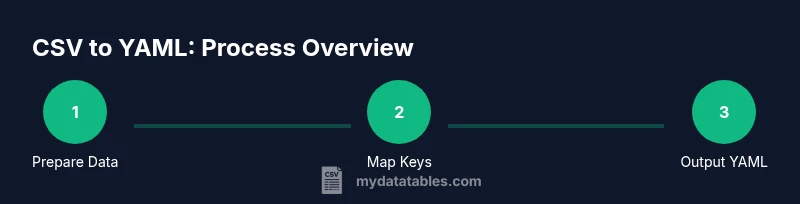
Inspect the CSV to identify column names, data ranges, and missing values. Define a target YAML structure that reflects the desired nesting and key paths. Document a mapping from each CSV column to YAML keys to avoid drift during automation.
Tip: Create a simple mapping table linking CSV columns to YAML paths before coding. - 2
Choose manual vs automated approach
Decide whether the dataset is small enough for manual drafting or large enough to warrant scripting. Manual conversion is suitable for learning and small tests; automation scales reliably and reduces human error.
Tip: Start with a pilot dataset to validate your mapping rules before full-scale automation. - 3
Map CSV columns to YAML structure
Implement the mapping plan by creating a template YAML file or a mapping function. Ensure you account for nested objects and lists where appropriate. Keep the mapping consistent across all rows.
Tip: Use explicit keys and avoid dynamic keys in YAML to keep validation predictable. - 4
Handle data types and missing data
Decide on how to treat numeric-looking values, booleans, and nulls. Implement a rule for missing values (e.g., omit the field or set to null) to maintain schema consistency.
Tip: Prefer explicit typing to reduce downstream parsing errors. - 5
Perform manual conversion for small datasets
Translate a representative subset of rows into YAML to verify the mapping and type decisions. Adjust the mapping as needed based on real data examples.
Tip: Use a YAML linter to catch indentation and syntax issues early. - 6
Automate with Python or Node.js
Implement a script that reads CSV, applies the mapping, and dumps YAML. Use libraries like PyYAML/ruamel.yaml or js-yaml for reliable output formatting. Test with a subset before full runs.
Tip: Enable streaming to handle large files without loading everything into memory. - 7
Validate YAML output
Run a YAML parser and a linter to verify syntax and structure. If your YAML will be consumed by other tools, perform a round-trip test to confirm compatibility.
Tip: Automate a diff against expected YAML for a set of sample rows. - 8
Document and maintain the workflow
Record the mapping decisions, version the scripts, and set up a small test suite. Documentation helps future-proof the CSV-to-YAML pipeline and reduces onboarding time.
Tip: Include examples of both typical and edge-case rows in your docs.
People Also Ask
What is the difference between CSV and YAML?
CSV stores tabular data in rows and columns with a flat structure, while YAML uses nested mappings and lists for hierarchical data. YAML is often preferred for configuration and data interchange when readability and structure matter.
CSV is flat and tabular, YAML supports nested structures, making it better for configurations and complex data.
Can I convert large CSV files to YAML efficiently?
Yes. Use streaming CSV parsers and write YAML in streaming mode to avoid loading the entire file into memory. Chunked processing ensures scalability and reduces peak memory usage.
Yes. Stream processing helps when handling large CSV files.
Which tools are best for CSV to YAML?
Python with PyYAML or ruamel.yaml, Node.js with js-yaml, and command-line utilities like csvkit provide robust options for converting CSV to YAML.
Python or Node.js tooling offers reliable CSV-to-YAML conversion.
How do I handle nested data when converting from CSV?
Plan your YAML structure so groups of related CSV columns map to sub-objects or lists. Use a mapping schema that defines where nested keys appear.
Map related columns to nested keys in YAML via a clear schema.
How can I validate YAML output?
Use a YAML linter and a parsing tool to verify syntax and structure. Run round-trip checks to ensure the data converts back without loss.
Lint the YAML and test round-trips to ensure accuracy.
Is YAML safe to use in production?
YAML is widely used in production, but ensure you validate and sanitize inputs to prevent parsing errors or injection-like issues in downstream systems.
YAML is common in production, but validate and sanitize inputs.
Watch Video
Main Points
- Define a clear CSV-to-YAML mapping before starting
- Validate output with a YAML linter and round-trip checks
- Prefer automated scripts for large datasets to avoid manual errors
- Test edge cases and missing values explicitly
- Document the workflow for future maintenance