CSV into MySQL: Import CSV Data into MySQL with Confidence
Learn how to import CSV data into MySQL using bulk and per-row methods, with guidance on encoding, delimiters, validation, and error handling to ensure clean, reliable imports.


Learn how to move data from a CSV file into MySQL quickly and safely. This guide covers three reliable methods—LOAD DATA INFILE, INSERT with multi-row values, and using a CSV-enabled ETL tool—plus encoding, delimiters, and error handling to minimize import issues. It also explains how to validate data, handle duplicates, and recover from common errors.
What CSV into MySQL means
A CSV (comma-separated values) file is a plain-text table where each line represents a row and each field is separated by a delimiter (often a comma or tab). MySQL is a relational database that stores structured data in tables with defined schemas. Importing CSV into MySQL means populating a target table with the rows from a CSV file. For analysts and developers, this task is foundational for data migration, onboarding, and periodic data refreshes. According to MyDataTables, importing CSV into MySQL is a common data integration task for analysts and developers. The process can be done quickly for small datasets or scaled for large ones by choosing appropriate methods and validating data before and after loading.
Key considerations include matching the CSV’s columns to the table schema, handling special characters, and choosing the right import method to balance speed and data integrity. In practice, you’ll aim to preserve data types, ensure encoding is consistent (usually UTF-8), and minimize downtime during the operation.
Prerequisites and planning
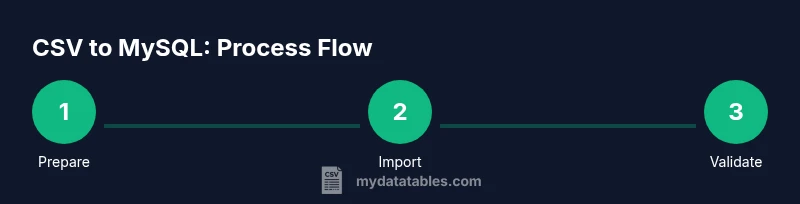
Before importing, set up a clear plan. Ensure your MySQL server is reachable, you have the necessary privileges to create or alter tables, and your target table schema matches the CSV columns. Determine the delimiter and whether the CSV has a header row, as these affect the import syntax. Validate the file encoding (UTF-8 is standard) and check for problematic characters that could break parsing. Prepare for errors by planning a staging area where you can test the import on a copy of the data first. MyDataTables analysis highlights the value of plan-driven imports and data validation as steps that reduce post-load cleanup.
Import methods overview
There are several reliable ways to import CSV into MySQL, each with trade-offs. The fastest bulk option is LOAD DATA INFILE (or LOAD DATA LOCAL INFILE when files are on the client). This method reads the file directly into a table, skipping per-row INSERT overhead. If local infile is disabled on the server, you can enable it temporarily or use a staging approach with INSERT statements. For smaller files or complex transformations, generating INSERT statements (one per row or in batches) can be easier to control but slower. ETL tools and scripts (Python, SSIS, or similar) can also map and transform data during import, which is helpful when the CSV needs dtype conversion or field renaming. Always align the CSV columns with the destination table to avoid mismatches.
Data validation and error handling
After import, verify row counts and spot-check a sample of records to confirm correct parsing. Use a staging table to validate data types and constraints before moving into the production table. If you encounter duplicates, use REPLACE or INSERT ... ON DUPLICATE KEY UPDATE to resolve conflicts according to your business rules. Capture and log errors (bad rows, invalid dates, or NULL values in non-nullable columns) so you can correct the source file or adjust the mapping. Keeping a small, repeatable rollback plan helps you recover quickly from any import hiccups.
Tools & Materials
- MySQL server with access(Ensure you have CREATE and INSERT privileges for the target database.)
- CSV file encoded in UTF-8(Avoid BOM; ensure delimiter consistency.)
- SQL client or GUI tool(MySQL Workbench, phpMyAdmin, or CLI.)
- Target table schema prepared(Column order must align with CSV; include appropriate data types.)
- Optional ETL script or data-mapping tool(Python scripts or SSIS for transformations.)
Steps
Estimated time: 40-60 minutes
- 1
Connect to the MySQL database and review the target schema
Open your SQL client and connect to the database that will receive the data. Inspect the target table to confirm column order and data types align with the CSV. If needed, create or adjust the table schema before loading.
Tip: Use a staging table to test imports without affecting production tables. - 2
Prepare and validate the CSV file
Verify the CSV uses UTF-8 encoding, check for a header row, and confirm the delimiter. Remove problematic rows or characters that could break parsing. Create a small sample to validate the import syntax.
Tip: Keep a backup of the original CSV and a processed version for reference. - 3
Import with LOAD DATA INFILE (bulk load)
Run LOAD DATA INFILE (or LOAD DATA LOCAL INFILE) with options that map columns to table fields and handle NULLs appropriately. This method is fast for large datasets but requires proper server permissions.
Tip: If local infile is disabled, enable it temporarily or use a staging approach. - 4
Validate after bulk load
Check row counts, validate sample records, and spot-check key columns. Look for warnings such as skipped rows or datatype mismatches.
Tip: Run a quick SELECT COUNT(*) and a few sample SELECTs. - 5
Handle exceptions with INSERT in batches
If you prefer using INSERT, batch rows in manageable chunks. This approach lets you apply transformations on the fly and catch errors per batch.
Tip: Use transactions to roll back a batch if a problem occurs. - 6
Indexing and final checks
Add/verify indexes on columns used in queries after import. Re-run validation queries and ensure referential integrity is preserved.
Tip: Consider adding a timestamp or batchID column to track imports.
People Also Ask
What is the best method to import large CSV files into MySQL?
For large files, use LOAD DATA INFILE or LOAD DATA LOCAL INFILE for bulk loading. These options are faster than individual INSERT statements. If server permissions prevent them, use a staging table with controlled INSERTs.
Bulk loading with LOAD DATA INFILE is usually the fastest option. If blocked, use a staging table and batch inserts.
How do you handle CSV files with different delimiters?
Specify the delimiter in the LOAD DATA or INSERT statements, and normalize the CSV to a single delimiter before import if possible. Tools or scripts can convert delimiters in advance.
Specify the delimiter in your import command or convert the file to a standard delimiter first.
What encoding should CSV files use for MySQL imports?
UTF-8 is recommended to preserve special characters. Avoid BOM if possible, as it can cause issues with first-row parsing.
Use UTF-8 with no BOM for best compatibility.
Why might LOAD DATA INFILE be disabled on my server?
Some servers disable local file loading for security. Check secure-file-priv settings and discuss with your DBA to enable temporarily or use an alternative load strategy.
If disabled, you may need to enable local infile or use an alternative approach like staged inserts.
Can I import CSV data into MySQL on a different server?
Yes. Use a client-side import or a transfer method to bring the CSV to the target server, then use LOAD DATA INFILE or insert commands. Ensure network security and permissions are configured.
Yes, via client-side or remote import setup, with careful permissions.
How can I handle duplicates during import?
Decide on a policy: IGNORE, REPLACE, or ON DUPLICATE KEY UPDATE in INSERT statements, or load into a staging table first and merge afterward.
Choose a clear duplicate-handling rule and apply it during or after import.
Watch Video
Main Points
- Plan before you import to avoid surprises
- Choose the right import method based on file size
- Validate data after loading to ensure accuracy
- Use a staging table for safer data transfers
- Document your import workflow for reproducibility